The Praja Connect platform
The whole office.
Working as one.
From the first conversation to the final follow-up, keep your people, work and decisions connected.
Book a demo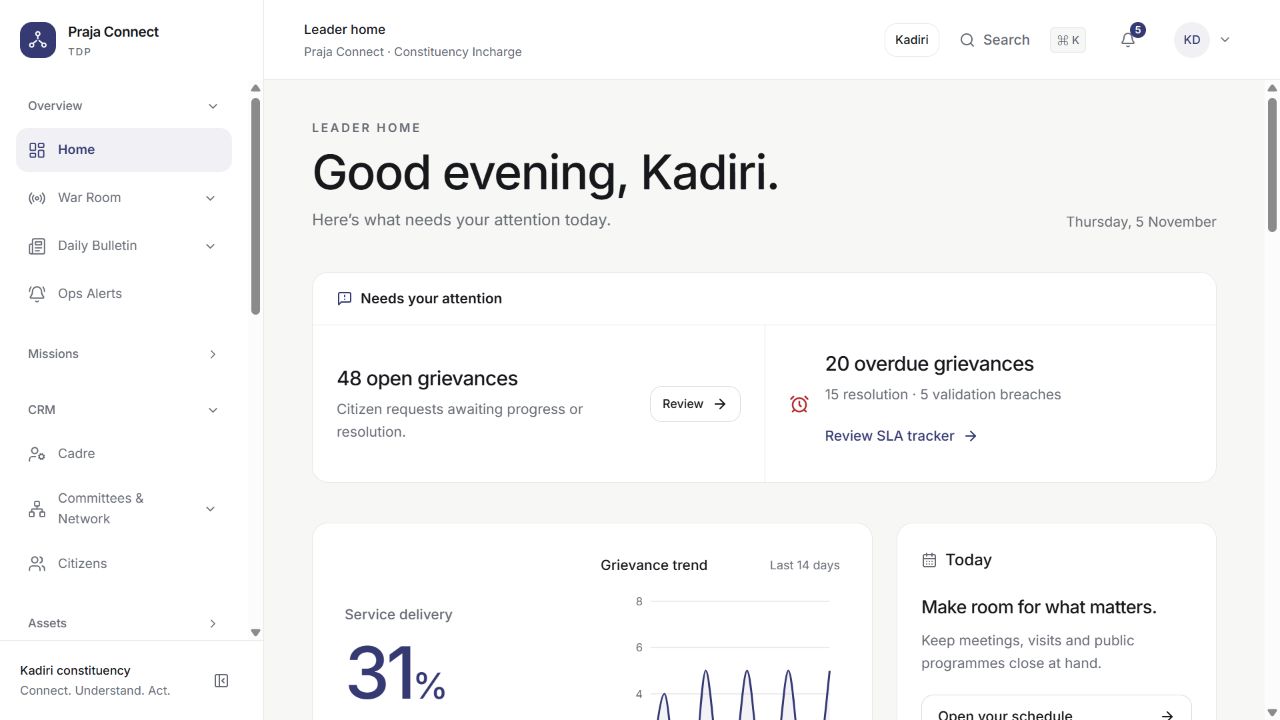
01 / A calmer office
Nothing important should depend on someone remembering it.
Remember the person, not just the request.
Bring citizen profiles, households, contact history and local context together. Your team can pick up the conversation with the information it needs.
Give every request a next step.
Record grievances, assign departments, track due dates and follow the resolution history. See what is waiting, who owns it and where help is needed.
Connect people with the right service.
Keep officials, schemes, beneficiaries, service camps and programme applications close to the work. Follow a registration through review and follow-up.
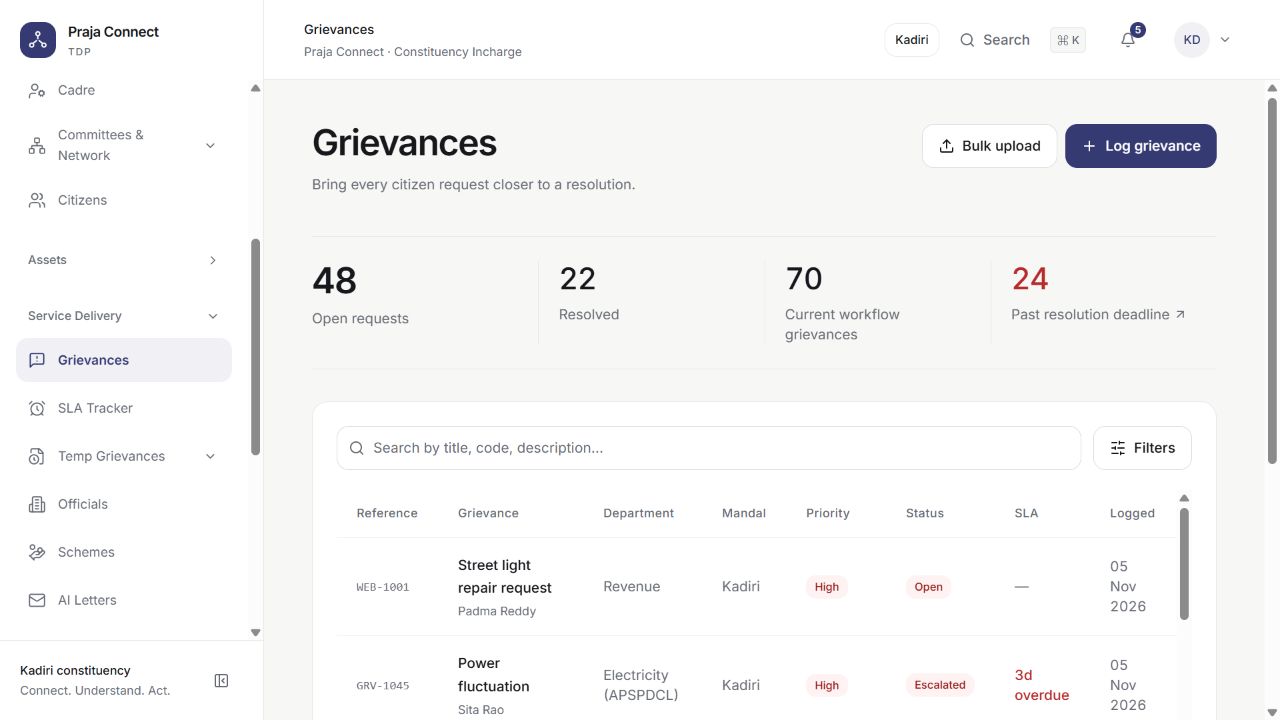
One request. A clear owner. A visible history.
02 / Closer to the ground
Your office doesn’t
end at the office.
Connect field teams with the people making decisions. Give local updates a place to go and follow-up a place to start.
Web workspace + mobile field appCadre & committees
Organise coordinators, volunteers and local networks around the places they serve.
Door-to-door surveys
Plan household visits, collect structured responses and queue supported field work for sync when connectivity returns.
Election operations
Bring booth plans, campaign teams, materials, expenses and polling-day updates into a common workflow.
Attendance & activity
Record field visits, tasks, events and attendance so office follow-up starts with context.
03 / Intelligence with context
Less searching. More understanding.
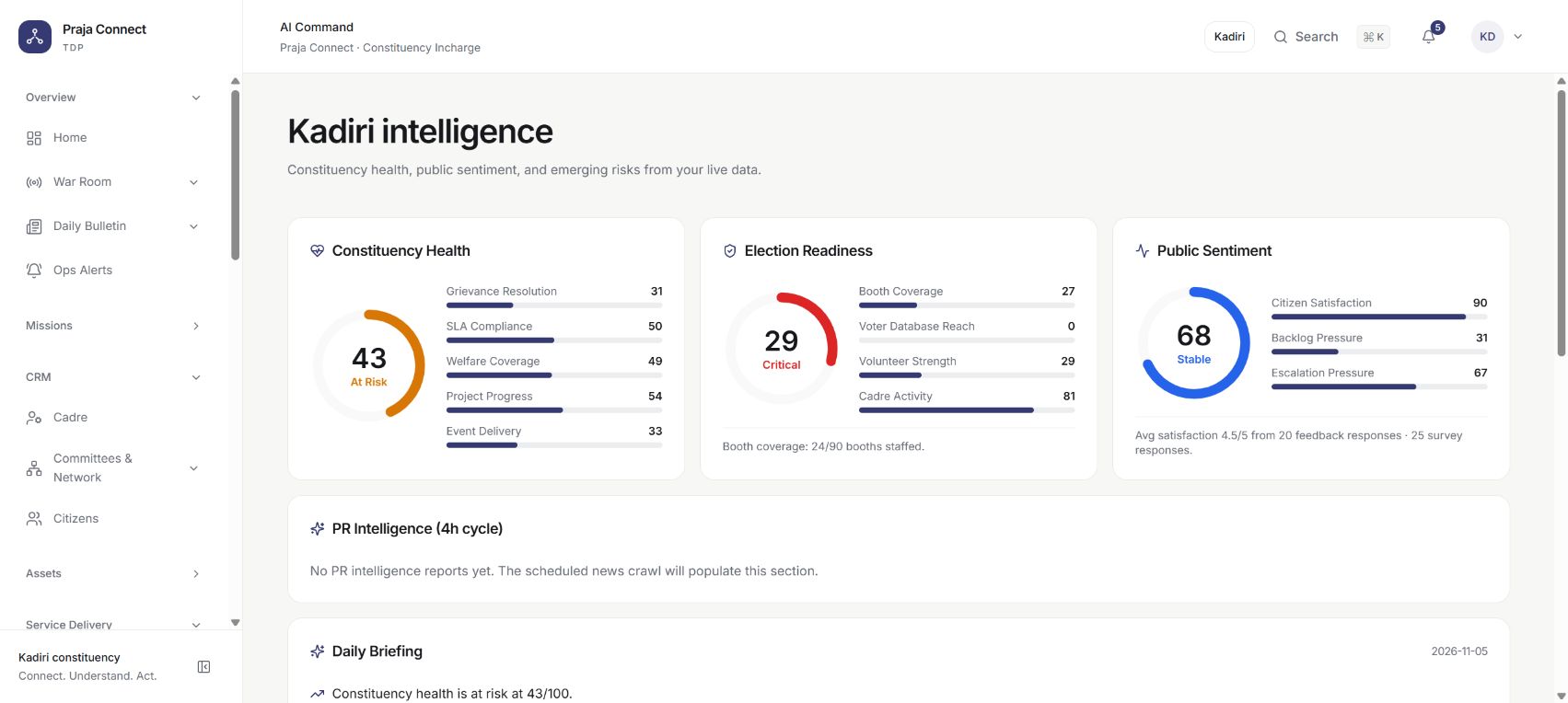
See the signals
behind the activity.
Bring constituency health, field coverage, sentiment and operational risks into one view. Use briefings and monitoring to decide what deserves a closer look.
- Daily briefings and activity summaries
- Grievance triage and suggested categorisation
- News and constituency monitoring
Meet your office assistant
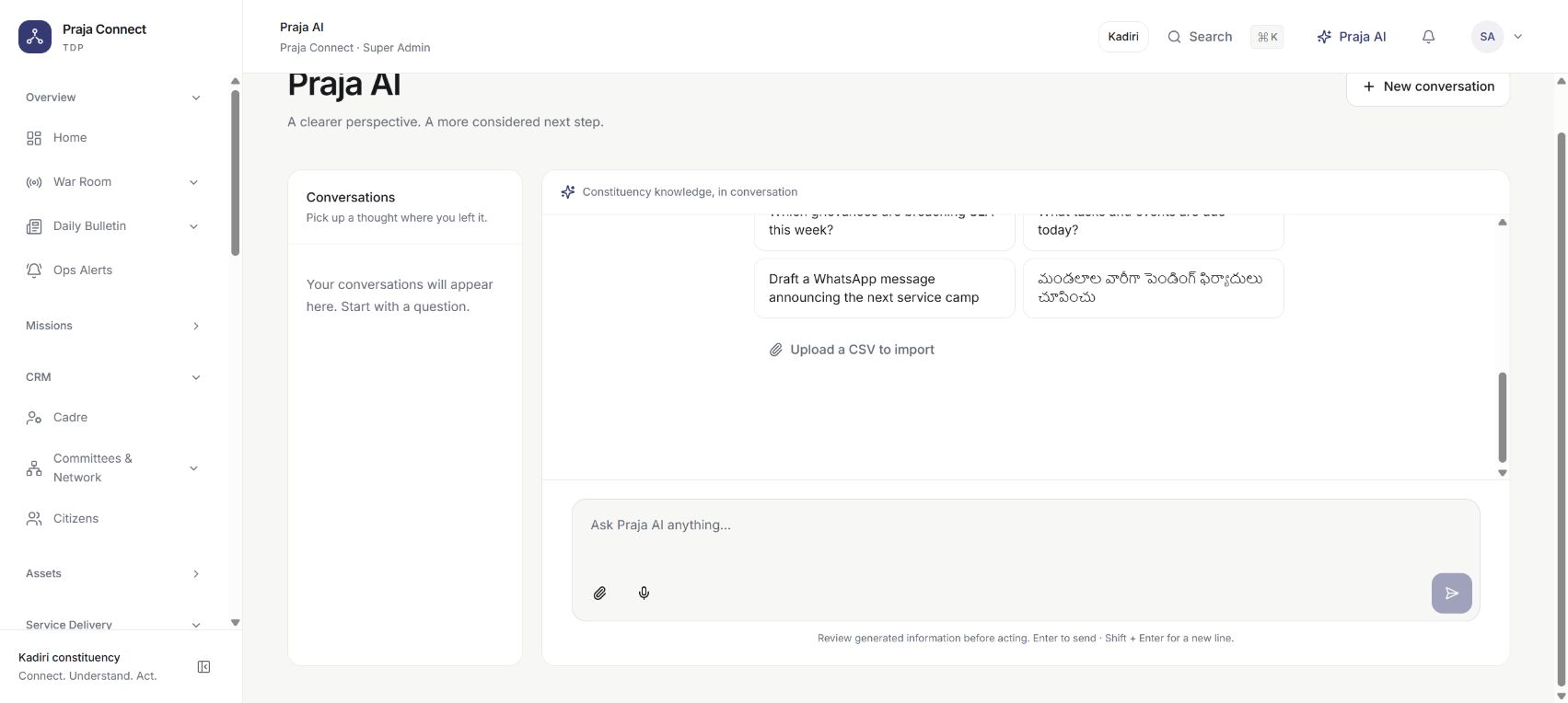
Ask a question.
Find a useful next step.
Search records, ask for a report, draft a letter or translate a message between English and Telugu. The assistant follows the current user’s permitted access.
Changes proposed by the assistant require approval before they run. AI features require a configured AI service; review generated output before use.
04 / Keep the conversation moving
A better follow-up starts with a connected conversation.
Keep the person in the picture.
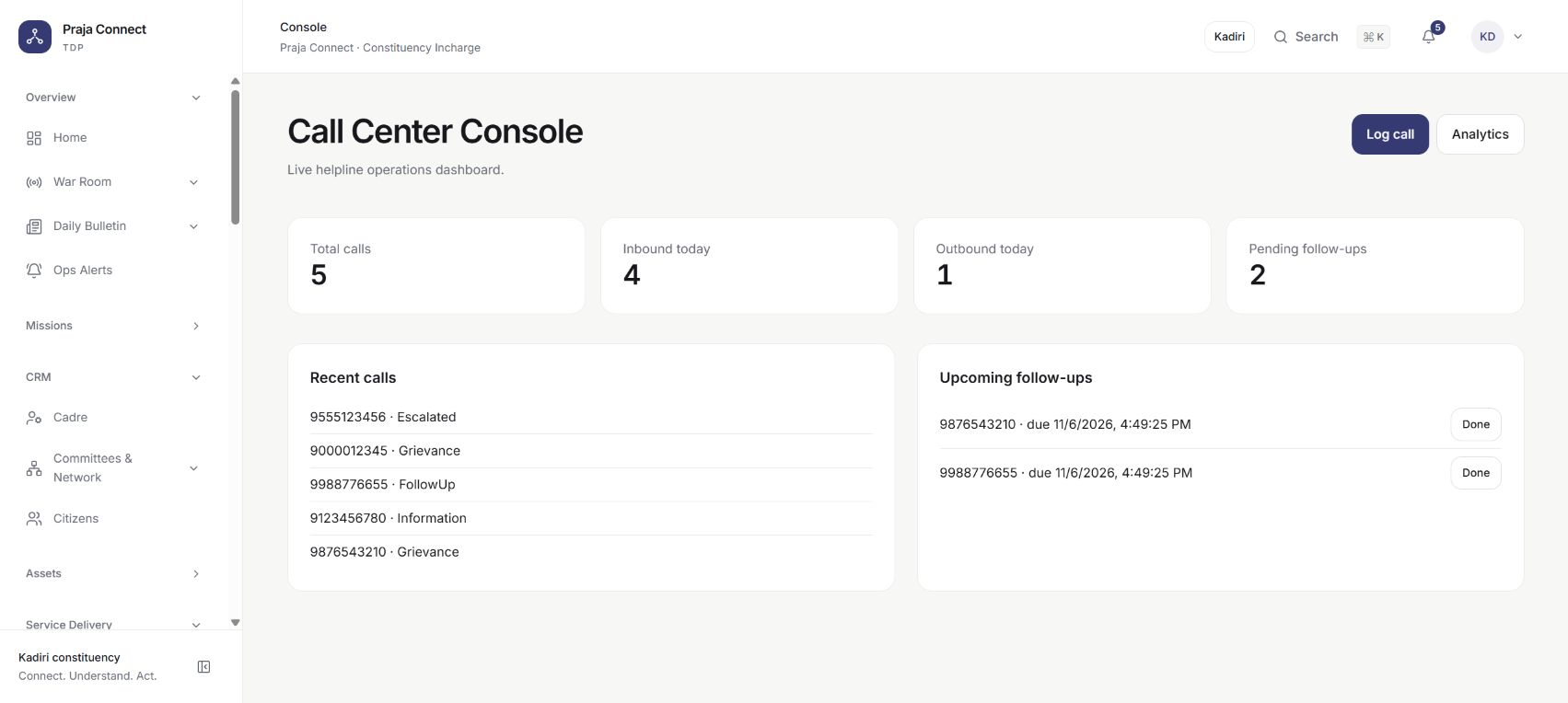
Connect call-centre work, WhatsApp conversations, events and follow-up tasks with your office’s everyday operations.
WhatsApp and SMS delivery need the appropriate provider accounts and configuration. Explore the workflows in the demo, then discuss the channels your team needs.
More ways to reach people.
AI phone calling, RCS and voice broadcast delivery are upcoming capabilities. They are not live services in the current platform.
Shared work.
Considered access.
Role-based permissions, constituency scope and recorded activity help teams work together with clear boundaries. Administrators decide who can see and change each module.
Our approachSee the work come together
Bring your office’s
real questions.
We’ll walk through the workflows that matter to your team.
Book a demo on WhatsApp