The CRM for public leadership
Every connection.
A clearer direction.
Your citizens. Your team. The work ahead.
Bring it all into one connected constituency workspace.
Clear roles. Connected workflows. Reviewable AI.
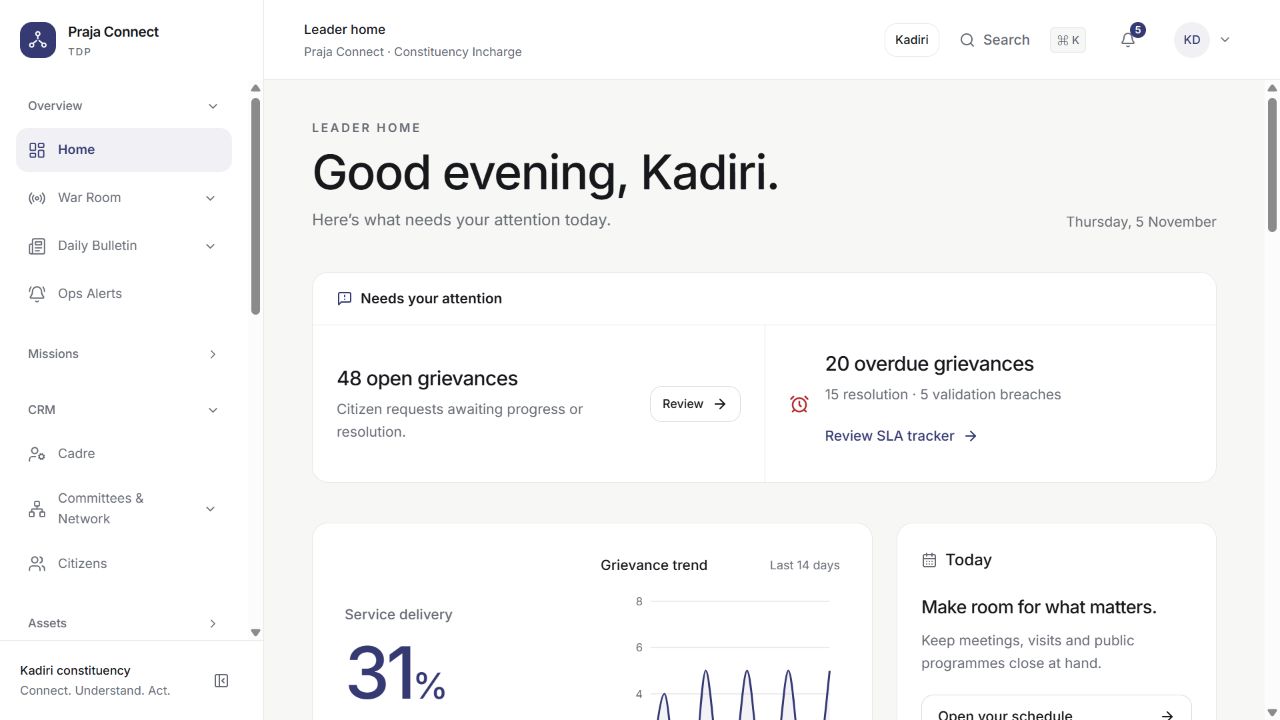
CONNECTED WORK, BETTER FOLLOW-THROUGH
Good service is a connected journey.
A citizen asks. The right person acts. Your office keeps the complete picture. Praja Connect joins the dots between the request and the response.
Listen in one place.
Bring citizen requests, conversations and field inputs into a shared view.
Give every task an owner.
Connect the right person, department and next action to the work.
Stay close to the outcome.
Follow progress, review overdue requests and keep the history together.
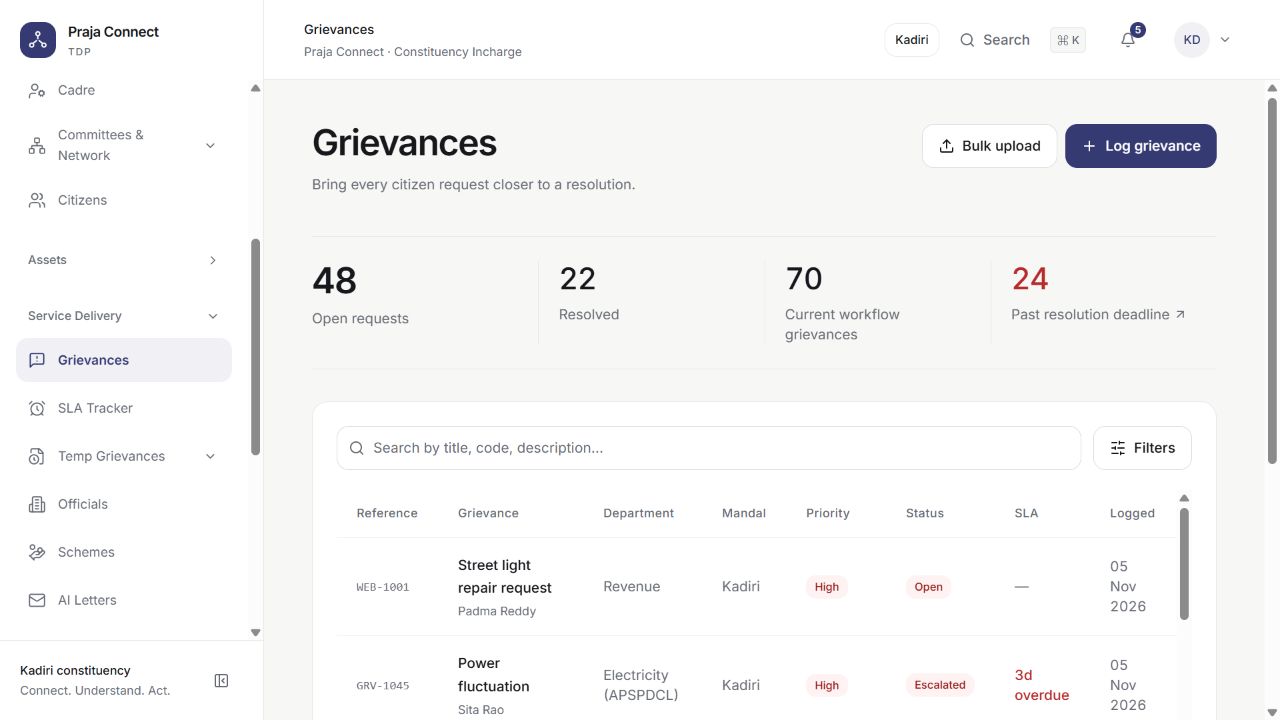
CITIZEN REQUESTS, CONNECTED
Keep the promise of a follow-up.
Give your office a clear way to record what people need, decide who acts next and follow the work through.
- A shared citizen and request history
- Department routing and named ownership
- Status updates, SLA tracking and escalation
Meet Praja AI
More perspective.
Less starting from scratch.
Ask your workspace a question. Prepare a first draft. Bring local developments into focus. Give your team practical assistance, with people in control.
“How many grievances are open, by mandal?”
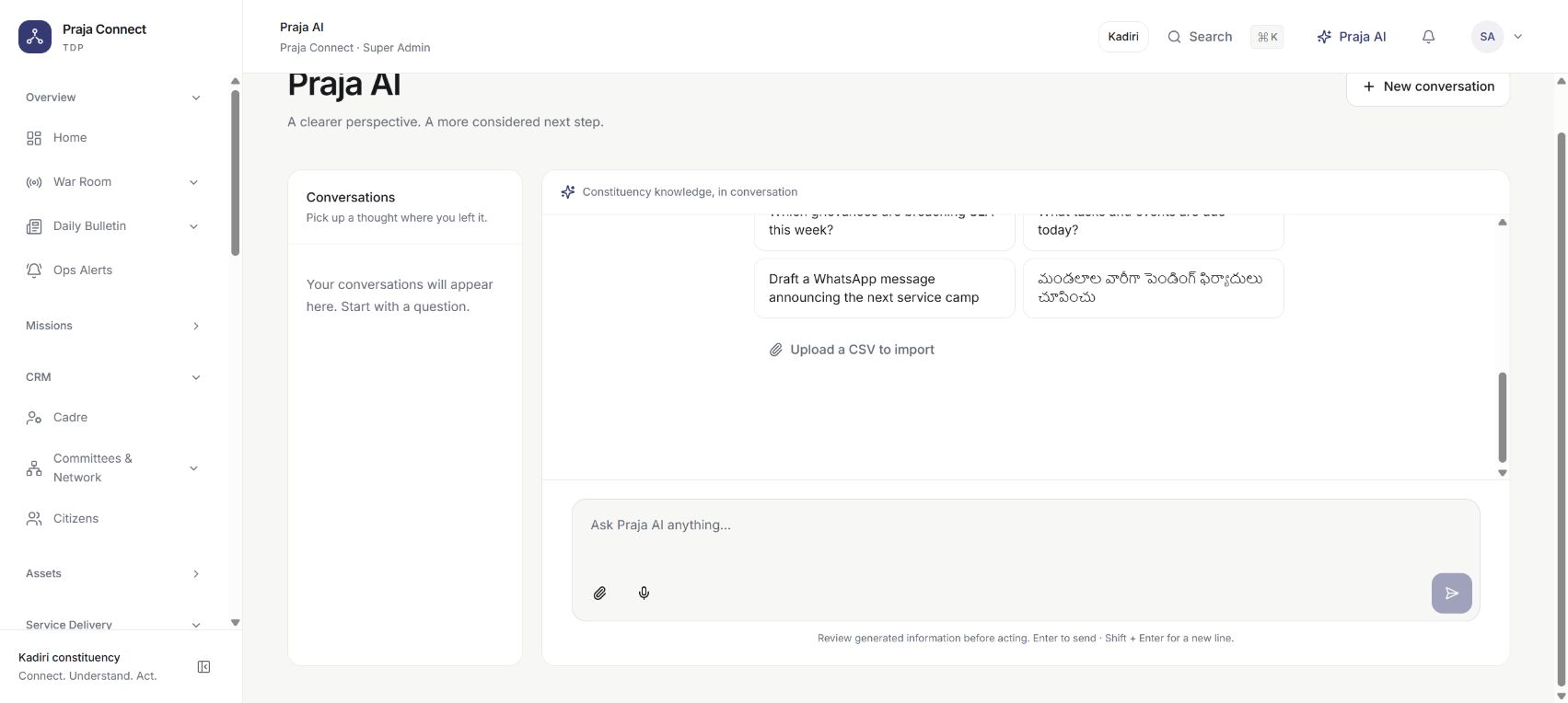
Ask your workspace.
Explore CRM records, find answers and prepare reports through a conversation.
Move from blank page to first draft.
Get help with letters, translations, replies and grievance triage.
Keep the evidence in view.
Bring local news, supporting quotations and reviewable briefings together.
AI features require a configured provider. Your team reviews outputs and approves supported changes.
Explore the AI workspaceA MORE CONNECTED PUBLIC OFFICE
Make every conversation count.
Bring agent queues, scripts, logged calls and follow-ups into your CRM. Connect your communication providers and keep the next generation of outreach in view.
Every call has
a next step.
Give your agents the context to listen, log the conversation and follow through.
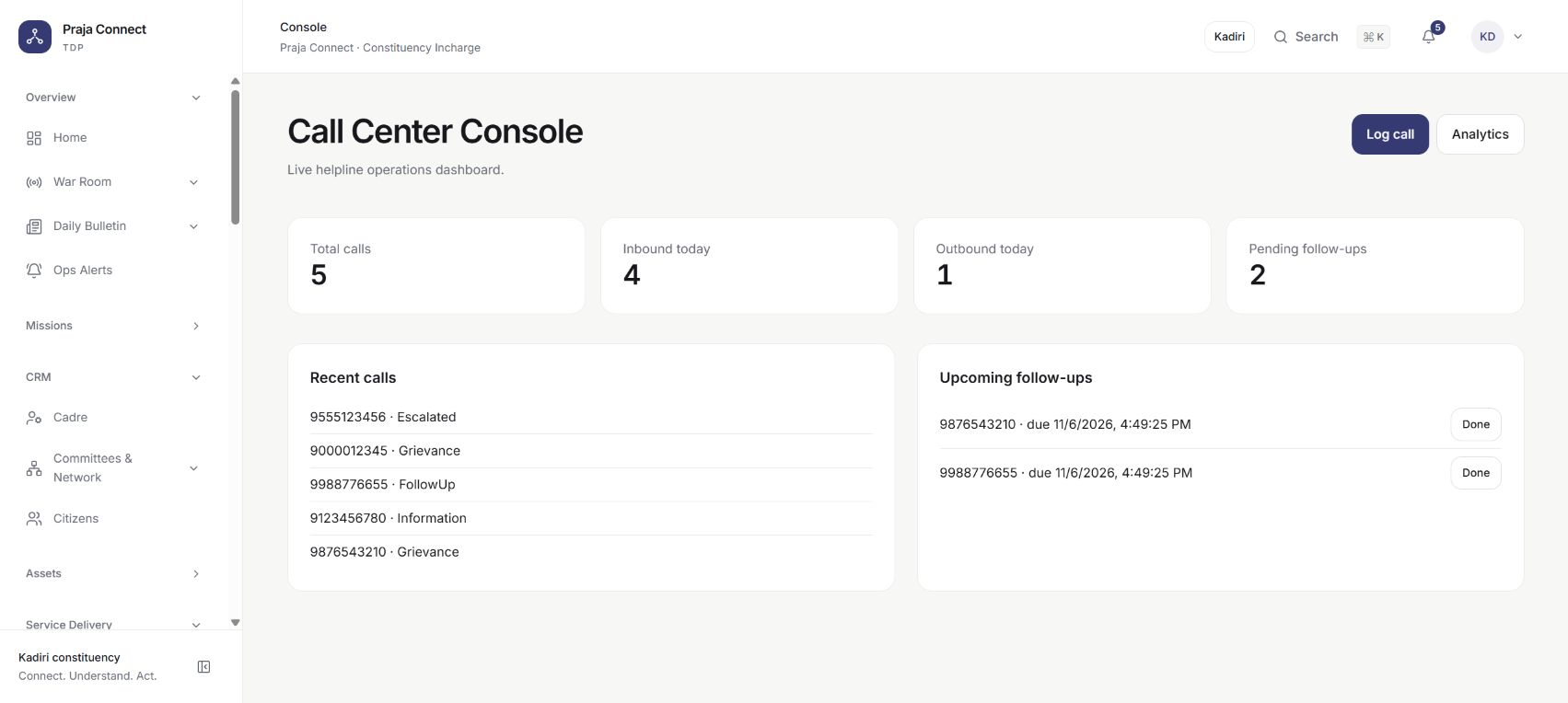
A channel for the conversation.
Connected messaging today. A clearly marked roadmap for what comes next.
Inbox and broadcast updates
SMS broadcasts
Gateway-connected messages
AI phone calling
Planned AI calling workflows
Voice broadcasts
Planned voice delivery integrations
RCS campaigns
Planned rich messaging campaigns
Live SMS and WhatsApp delivery requires the relevant provider setup. AI phone calling, voice broadcast delivery and RCS campaigns are upcoming; availability will depend on integrations and rollout.
ONE WORKSPACE. YOUR EVERYDAY WORK.
The whole office, pulling together.
A good decision needs context. Keep people, service delivery, field activity and office operations connected, with the right access for each role.
See the complete platformLET’S MAKE IT YOUR WORKSPACE
Start with the way your office works.
A useful product demo is a conversation about your team. We’ll walk through the workflows, configuration and rollout questions that matter to you.
Your people & priorities
Tell us about your office, team structure and the work you want to bring together.
Your product walkthrough
See the relevant modules, actual screens and the path from a request to an outcome.
Your rollout conversation
Discuss branding, data setup, deployment and provider integrations for your requirements.
BEFORE WE CONNECT
A few good questions.
Want to go deeper? Bring your questions to the walkthrough.
Ask us on WhatsAppWho is Praja Connect built for?
Constituency offices, public representatives, political organisations and the teams coordinating citizen relationships, field work and public service. The product walkthrough can focus on your roles, geography and daily workflow.
Can I try the product before discussing a rollout?
Yes. Open the live workspace to explore the Kadiri demonstration, or book a guided walkthrough on WhatsApp. The demo uses sample citizens, grievances and activity records; its figures are not official constituency statistics.
Which AI features are available?
The product includes a conversational assistant, help with drafts and translations, grievance triage, and monitoring and reporting tools. Generative AI requires a configured AI provider. Your team reviews suggested outputs and approves supported record changes.
Are AI calls, voice broadcasts and RCS available today?
AI phone calling, voice broadcast delivery and RCS campaigns are upcoming capabilities. The current call centre supports agent queues, scripts, logged calls and follow-ups. SMS and WhatsApp need the relevant provider connection before live delivery.
Can the workspace fit our team and language?
Praja Connect supports role and module permissions, configurable branding, constituency geography, and English and Telugu experiences. We can walk through the relevant configuration and deployment requirements with you.
Your people. Your team. Your next chapter.
Bring your office
closer together.
See how Praja Connect can bring a clearer view to the work you do every day.
Book a demo on WhatsAppOr explore the live demo